iPhone・iPad・Android の会話アプリ

声が出なくても、
指で話せる。

押した言葉を、スマホがその場で声にします。50音の文字盤でも、キーボードでも、よく使う文でも、絵カードでも、押せば1回で声になります。風邪や手術で声が出ないときにも、長く声を失ったかたにも、話せないかたのそばにいる介護・看護の現場にも。

App Store・Google Play で配信予定

買い切りで全部の機能が使えます。登録・アプリ内課金・サブスクリプション・広告はありません。通信もしません。
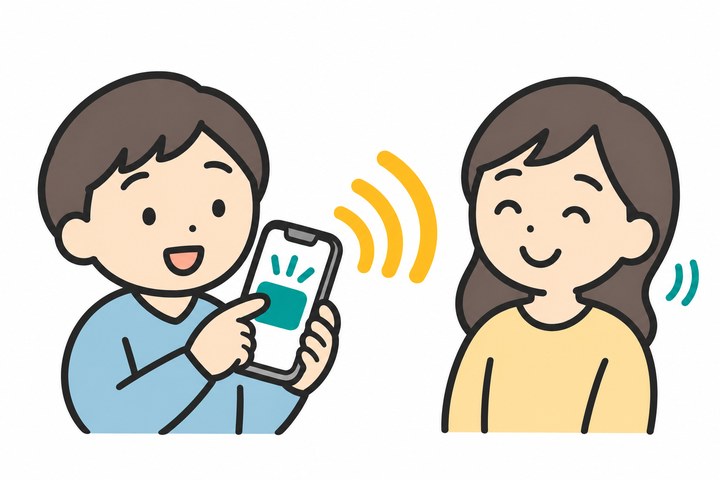
スマホの大きなボタンを押す人と、スマホから出た声を聞いてうなずく家族のイラスト

こんな困りごとのために

打つのが遅くて、相手を待たせる

「はい・いいえ・わからない・ちょっと待って」はいつも画面にあって、1回押すだけ。入っている約150の文(返事・体調・お願い・医療・店・仕事と学校)も、押せばすぐ声になります。

相手が気づいてくれない

[呼ぶ]でチャイムを鳴らせます。話す前に毎回鳴らす設定もあります。

読み方がおかしい・声が機械的

端末の高品質の声やパーソナルボイス(自分の声)を選べます。速さと高さも変えられます。「行って」のように読み間違える語は、読み方の辞書で直せます。

字を打てない・思い出せない

絵カード(からだ・ほしい・して・気持ち・場所)と、痛みの強さ 0〜10 の段。押すと「お腹が痛いです」のように話します。

広告が出て、人に見せにくい

広告はありません。大きな字で相手に見せる画面もあり、向かいの人に向けて上下を逆にできます。

ボタンや字が小さい

文字盤のキーは大きく、字の大きさは3段から選べます。iPad では左右2列で使えます。

できること

打つ50音の文字盤(濁点・小さい字・ー・句読点)・キーボード(漢字)・英語の画面では A〜Z の文字盤
選ぶよく使う文(約150・分類ごと・並べかえ・編集)・自分の文・家族の名前・最近話した文
絵で絵カード40枚(からだ・ほしい・して・気持ち・場所)・痛みの強さ 0〜10
伝える押してすぐ声に・はい/いいえ/わからない/ちょっと待って・呼びかけの音・大きな字で見せる(上下を逆に)
声端末の声を選ぶ・パーソナルボイス(iPhone・iPad)・速さ・高さ・読み方の辞書・消音スイッチでも鳴る
そのほか画面の向きを固定・iPad と iPhone Duo の広い画面・日本語と英語・通信しない

ゆびごえは医療機器ではありません。急ぎのときは、ナースコールや 119 番など、決まった方法で知らせてください。使い方・プライバシーポリシーもご覧ください。

A talk board for iPhone, iPad and Android

No voice?
Speak with your finger.

Tap a word and your phone says it out loud, right away. Spell it on the letter board, type it, pick a ready-made phrase, or tap a picture card. For a lost voice after a cold or surgery, for people who live without speech, and for caregivers and nurses beside someone who can't talk.

Coming soon to the App Store and Google Play

One-time purchase with every feature included. No sign-up, in-app purchases, subscriptions or ads. No network connections.

Illustration of a person tapping a big button on a phone while a family member listens to the phone's voice and nods

Built for the moments that are hard

Typing keeps people waiting

Yes, No, I don't know and One moment are always on screen and take one tap. About 150 ready-made phrases (replies, how I feel, requests, medical, shopping, work and school) speak as soon as you tap them.

Nobody notices you

Tap Call to play a chime. You can also have it chime before every message.

The voice sounds wrong

Choose any voice on your device, including enhanced voices and your own Personal Voice. Change the speed and pitch, and fix words it mispronounces in Pronunciations.

Spelling is too much right now

Picture cards (body, I want, please, feelings, where) and a 0–10 pain scale. Tap "pain" then "stomach" and it says "My stomach hurts".

Ads you'd rather nobody saw

There are no ads. Show turns your message into huge text, and Flip turns it around for the person across from you.

Buttons and text are too small

Large keys, three text sizes, and a two-column layout on iPad.

What it does

TypeA to Z letter board in large keys, the system keyboard, and a Japanese kana board
PickAbout 150 phrases in categories (reorder and edit them), your own phrases, family names, and recent messages
Point40 picture cards (body, I want, please, feelings, where) and a 0–10 pain scale
Say itSpeak with one tap, quick replies, a call chime, and Show for big text (flip it for the person across from you)
VoiceChoose your device's voice, Personal Voice (iPhone and iPad), speed, pitch and pronunciations. It speaks even with the silent switch on
AlsoLock the screen orientation, wide layouts for iPad and iPhone Duo, English and Japanese, no network

Yubigoe is not a medical device. In an emergency, use your nurse call button or call emergency services. See Help and the Privacy Policy.